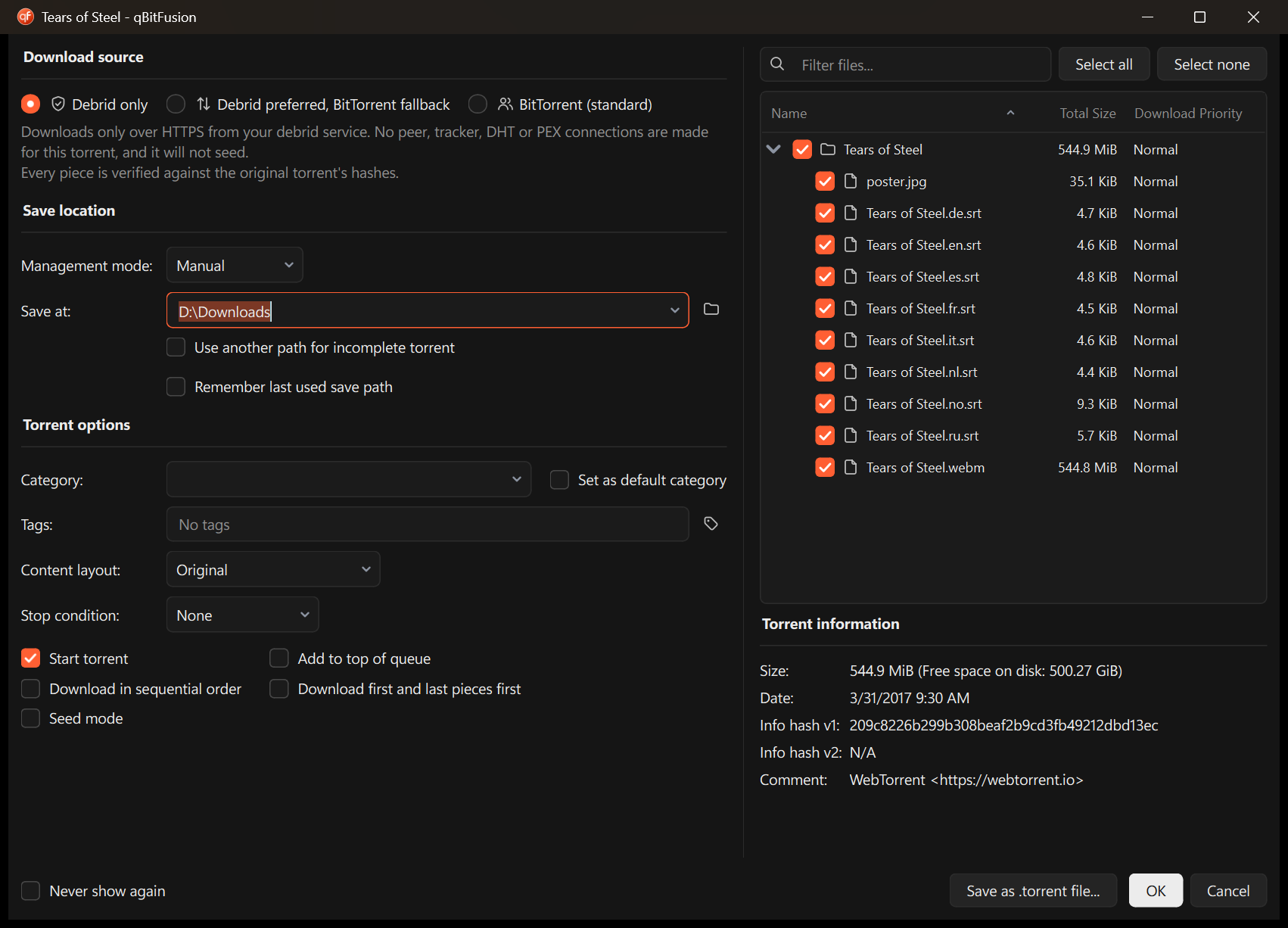
Debrid only
HTTPS from the provider and nothing else. No tracker, DHT, PEX or peer connections for this torrent, not even to fetch a magnet link's metadata. It does not seed.
Experimental preview for Windows
qBitFusion is a fork of qBittorrent 5.3 that downloads a torrent from your debrid account over HTTPS and from BitTorrent peers, and checks every piece against the torrent's own hashes.
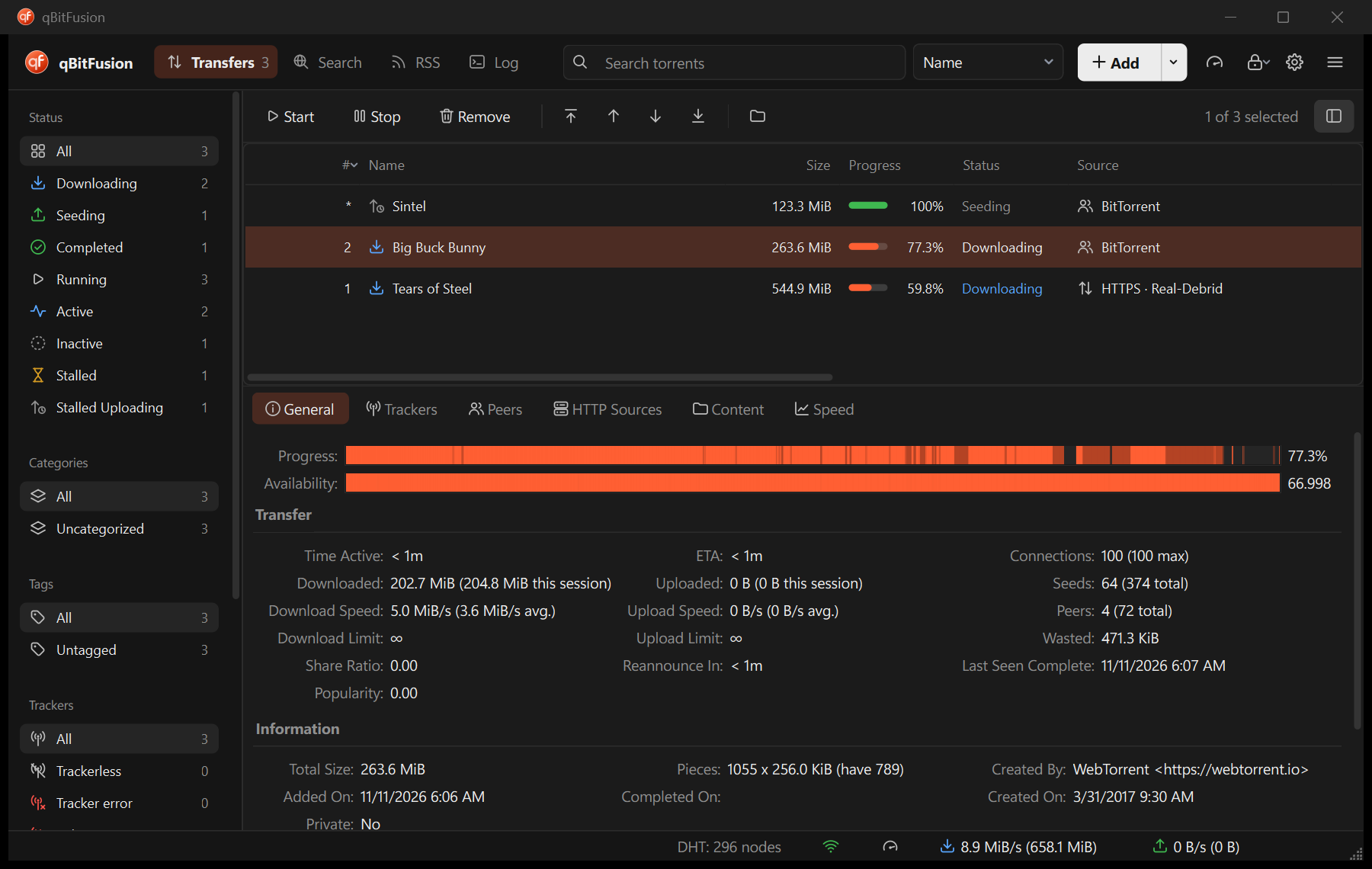
The idea
A debrid service already holds a copy of the files. The usual way to use one is a separate downloader, and the files you get are cut off from the torrent. qBitFusion makes the provider one more source for the torrent itself. It requests byte ranges, builds them into pieces, and hands each piece to libtorrent, which checks it the same way it checks a piece from a peer.
How it works
An illustration, not a recording. Piece counts and timings are made up.
HTTPS from the provider and nothing else. No tracker, DHT, PEX or peer connections for this torrent, not even to fetch a magnet link's metadata. It does not seed.
HTTPS for what the provider has, peers for the rest. Here the provider is missing one file, so those pieces come from the swarm. Falling back asks you first, because peers see your IP address.
Standard qBittorrent behavior, unchanged: peers only, and the torrent seeds as usual.
Features
Provider data is checked against the torrent's hashes before it counts. Data that doesn't match is thrown away and fetched again.
Verified pieces are kept when the source changes. A provider outage doesn't restart the download.
If the provider has only some of a torrent's files, it supplies the pieces it fully covers. Peers can do the rest.
A Source column shows each torrent's source and, when it isn't the provider, why.
Provider credentials live in the Windows Credential Manager. Tokens and signed links are kept out of settings files and logs.
With the hybrid feature off, behavior matches qBittorrent's. It keeps its own profile and runs alongside a stock install without touching it.
Interface
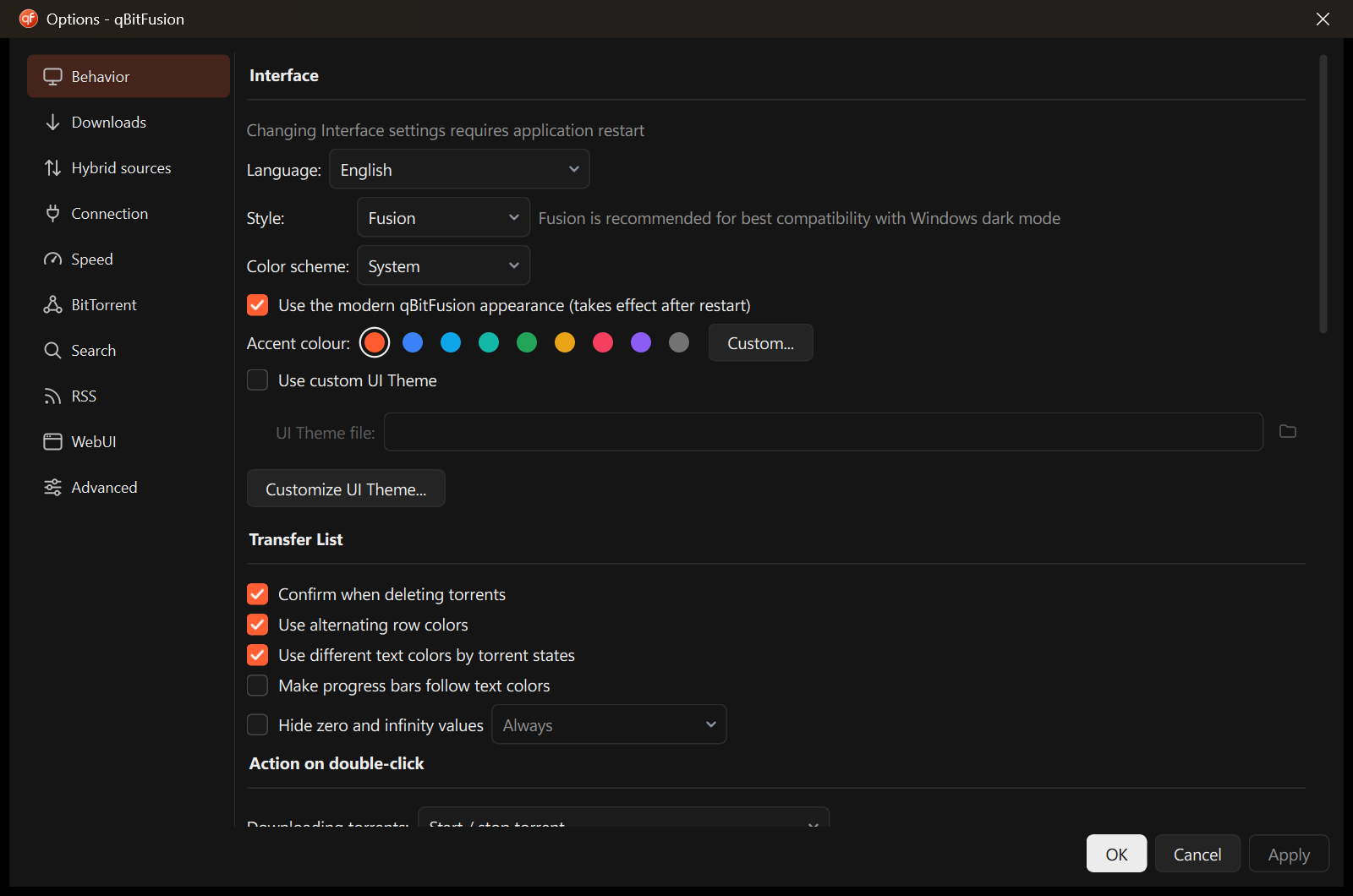
A single header replaces the menu bar and toolbar, and every function is still there. Light and dark schemes follow the system, and the classic look is one switch away.
Status
Built and tested on Windows 11 only (MSVC, Qt 6.10.3, libtorrent 2.1.2). Linux and macOS have never been compiled.
Real-Debrid only. Torrents that are v2-only can't use it.
Several selected files in one torrent, a link expiring mid-transfer, OAuth token refresh, and adding a torrent to the account from the app.
"Debrid only makes no swarm connections" is enforced in code and tested at the API level, but not yet confirmed with a packet capture. Your provider still knows what you download.
If the provider lacks part of a torrent, the download stops near the end and says so. It doesn't warn you at the start.
Four parallel HTTPS requests per torrent by default. Whether that holds back fast connections hasn't been measured.
"Downloaded" and session totals count only bytes from peers. Progress, speed and ETA are correct.
No way to see or set the download source.
New text is in English only.
A portable zip that updates itself. No installer and no code signing yet, so Windows SmartScreen warns on first start.
The updater can't yet roll back a version that installs fine and then fails to start. An upstream release that merges cleanly and passes the tests ships without anyone looking, and the tests don't download from a real provider.
Contribute
Most of the limitations above are open work. These are self-contained enough for a pull request, roughly smallest first.
src/base/bittorrent/torrentimpl.cppsrc/base/hybrid/hybridcoordinator.cppsrc/gui/modern/Hybrid/MaxHttpPiecesPerTorrentsrc/base/hybrid/provider.hsrc/base/hybrid/securestore.cppsrc/webui/test/.github/workflows/release.yamlsrc/base/selfupdate/
For Windows 10 and 11, 64-bit. It's portable and keeps itself up to date. Settings stay in a folder beside the program, and an existing qBittorrent profile is never read or changed.
Preview builds aren't code-signed yet, so Windows SmartScreen may warn you before the first run.
git clone https://github.com/CoderNoel/qBitFusion.git
cd qBitFusion
pwsh qbitfusion/scripts/bootstrap-windows.ps1
pwsh qbitfusion/scripts/install-windows.ps1qBitFusion is a download client. Use it for content you have the right to download and within your provider's terms. It doesn't work around provider limits, blocks or takedowns.